We remain fully operational. Our teams are working around the clock to ensure your deliveries continue safely.

DOWNLOAD THE APP


Copyright © 2025 Desertcart Holdings Limited
DOWNLOAD THE APP



🚀 Elevate your office game with speed, security, and seamless wireless freedom!
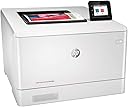
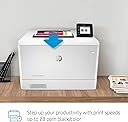
The HP Color LaserJet Pro M454dw is a wireless color laser printer designed for busy professionals who demand fast, high-quality prints at 28 ppm with crisp 600x600 dpi resolution. It features built-in HP Wolf Pro Security to protect sensitive data, Wi-Fi Direct for easy mobile printing without a network, and an intuitive 2.7" color touchscreen for streamlined control. With automatic duplex printing and energy-saving technology, it reduces paper waste and cuts energy use by up to 11%. Ideal for office environments, it supports various media types including cardstock and envelopes, and comes with a 250-sheet input tray plus USB walk-up printing for Microsoft Office files. Backed by a one-year limited warranty, it’s engineered to keep your business moving forward efficiently and securely.


| ASIN | B07RSHGBPJ |
| Additional Printer Functions | Copy |
| B&W Pages per Minute | 28 ppm |
| Best Sellers Rank | #180,716 in Office Products ( See Top 100 in Office Products ) #217 in Laser Computer Printers |
| Brand | HP |
| Built-In Media | 4 preinstalled Introductory HP LaserJet Toner cartridges (Black, Cyan, Magenta, Yellow: ~1200 pages), HP Color LaserJet Pro M454dw, In-box documentation (Getting Started Guide, Install Poster), Regulatory flyer, Warranty card |
| Color | White |
| Color Pages per Minute | 28 ppm |
| Compatible Devices | PC |
| Connectivity Technology | Wi-Fi |
| Control Method | Voice |
| Controller Type | Android |
| Customer Reviews | 4.4 out of 5 stars 1,245 Reviews |
| Display Type | LCD |
| Dual-sided printing | Yes |
| Duplex | Automatic |
| Global Trade Identification Number | 00192018996182 |
| Hardware Interface | Ethernet, USB 2.0 |
| Ink Color | Black, Cyan, Magenta, Yellow |
| Item Dimensions D x W x H | 11.6"D x 16.2"W x 18.5"H |
| Item Type Name | Color Laser Printer |
| Item Weight | 48 Pounds |
| Manufacturer | HP |
| Maximum Copies Per Run | 100 |
| Maximum Copy Resolution Black and White | 600 dpi |
| Maximum Copy Resolution Color | 600 x 600 dpi |
| Maximum Copy Speed Black and White | 28 ppm |
| Maximum Media Size | 8.5 x 14 inch |
| Maximum Print Resolution Black and White | 600 dpi |
| Maximum Sheet Capacity | 300 |
| Maximum print Resolution Color | 600 x 600 dpi |
| Model Name | Old version |
| Model Number | M454dw |
| Model Series | M454 |
| Number of Trays | 1 |
| Other Special Features of the Product | 550-Sheet Optional Paper Tray, Auto-Duplex, Fast First Page Out, Network-Ready, Walk-Up USB Port for Microsoft Files |
| Paper Size | 3 x 5 to 8.5 x 14, Letter, Legal, Envelope |
| Power Consumption | 15 Watts |
| Print media | Card stock, Envelopes, Glossy photo paper, High-resolution paper, Labels |
| Printer Connectivity Type | Wi-Fi |
| Printer Output Type | Color |
| Printer Type | Laser |
| Printing Technology | Laser |
| Processor Count | 1 |
| Resolution | 600 x 600 |
| Scanner Type | Document |
| Series Number | 454 |
| Special Feature | 550-Sheet Optional Paper Tray, Auto-Duplex, Fast First Page Out, Network-Ready, Walk-Up USB Port for Microsoft Files Special Feature 550-Sheet Optional Paper Tray, Auto-Duplex, Fast First Page Out, Network-Ready, Walk-Up USB Port for Microsoft Files See more |
| Specific Uses For Product | Office, business |
| Total USB 2.0 Ports | 1 |
| Total Usb Ports | 1 |
| UPC | 192545323116 192018996182 |
| Unit Count | 1.0 Count |
| Warranty Description | One-year Bench/Depot Repair warranty |
| Warranty Type | Limited Warranty |
| Wattage | 550 watts |
B**R
Excellent printer. Don't listen to the negative reviews.
First of all, the negative reviews for this product were left by people who din't rate the product, but rated the shipping or were mad because they can't read a product description and thought this was a multi-function printer, which it is clearly not. The lowest one-star review was from a reviewer who didn't know what they were doing. A simple google search produced an answer to solving the power saving issue, straight from HP's web site I'll explain that at the end of this review. This printer was purchased for use in an office environment running primarily macs with a few microsoft surface pros in the mix. Initial configuration is done via the touch screen on the printer itself. It's very simple and you can choose a setup wizard type scenario (self-managed) or more of a manual mode for IT people who want to set up a static IP. I chose the latter. After the quick initial setup on the printer touchscreen, the rest was done on a macbook pro and involved downloading the setup software from HP. The install wizard is as easy as it gets to connect via wifi or ethernet. If you want to access settings again at a later time or tweak specific options, you can access the printer in a web browser via its IP address/default url for the embedded web server in the instructions if you didn't set a static IP (which you always should). Adding the printer to other networked computers is as easy as going into your OS's control panel/system preferences printer settings and adding the printer which should show up on your network. Print quality is great. We replaced an old HP 4700dn color laser which cost significantly more at the time of purchase and see no different in quality. Print speed is also solid. The pull out paper tray is the only thing on this that feels a little cheap. Otherwise it's a hefty printer that seems well-built. To mitigate or eliminate the auto-shutdown mode, go to Network - Wired- IPv4 Configuration (if you did this already in the initial touch screen setup using the IT-managed option, skip to the next part.) Select Manual IP, and make it something like 192.168.2.109. Change the last 3 digits to suit your needs depending on IP addresses already in use. Then, go to Settings- Power Management - Shutdown Mode, set it to 8 hours just because and, most importantly, check the "Disable shutdown when ports are active" box. I can confirm that this will completely eliminate this issue when the printer is connected via ethernet and has a static IP, and possibly for USB connections as well. Feel free to comment if it works for wifi only connections.
T**C
A Little Difficult Configuring the Wireless, But Maybe the Best Printer I've Ever Used
I've used many different printers. This one was a bit difficult to connect wirelessly. I had to turn 5G off to connect one computer, but turn it on to connect another, and then turn it back off to use it. And some reviewer said they only got 30 pages from the black cartridge. I print two-sided booklets with almost full-page coverage, and I printed 1200 pages with the original black cartridge. And the good thing is, it kept printing even after it said it had no more pages to go. The black print got lighter, but I got to choose if I wanted to accept that or not. It didn't just shut down. And ... I installed after-market cartridges that were not HP, and it took them. It prompted me that they were not HP, but it still accepted them. That's a plus. I hope HP is listening. I don't think I'd buy a printer that forced me to buy their own supplies. I have other HP printers and I've used other brands. For the money, hands down, this is the best one I've experienced. It takes whatever I throw at it. Small envelopes, letter envelopes - it prints them without wrinkles! Cardstock? I routinely use 65 lb. with hardly any curl. I also use 110 lb. with less curl than I've ever seen with any other printer. I just put the printed 110 lb. cardstock aside with a little weight on it, and in a little while, there's no curl at all. It prints labels. I also like the custom templates that I can save to remember my settings for whatever job - booklets on plain paper - booklet covers on cardstock - two-sided that flips on the short edge - two-sided that flips on the long edge - I just save the template by my own custom name and there's no guessing next time. Oh, did I mention that the print quality is great? Graphics and pictures on plain paper look better than I've seen with other printers. This is a great printer ... after you get it to connect to the network.
B**T
Best Printer on the market
The HP Color LaserJet 454 is a robust and reliable printer that caters to both small businesses and home offices. It delivers high-quality color prints with impressive speed, making it suitable for environments that require efficient and frequent printing. The printer supports various paper sizes and types, enhancing its versatility. Its user-friendly interface and straightforward setup process make it accessible even for those who are not tech-savvy. The printer's wireless capabilities and mobile printing options add to its convenience. However, the cost of replacement toner cartridges can be high, which might be a drawback for budget-conscious users. Overall, the HP Color LaserJet 454 is a solid choice for those needing a dependable and versatile color laser printer.
Z**O
Inkjet or laser? Laser every time, of course!
I finally spent the extra few dollars to get a laser, and I'm glad that I did. The single most significant advantage that laser printers have over inkjets is price-per-page; if you're reading reviews about laser printers, than you've probably already figured that much out. What you may not have figured out is just how significant that difference is: for one thing, unlike inkjet printers, the page-per-cartridge counts for laser printer toner cartridges is *actually decently accurate.* Oh, I've read the claims (as I'm sure you have) of quite a few inkjet printers and their corresponding high capacity cartridge... and I've (foolishly) used five or six different inkjet models as my primary home printer over the years, because they were "cheap" to buy; thing is, inkjet manufactures all exaggerate their page counts. A LOT. And the inkjet cartridges that you have to buy time and again are anything but cheap. To give you an idea of the degree of this difference: my five-year-old son recently discovered that he could air-print pictures from one of his educational apps on the iPad. He printed over one-hundred full page full color images to this HP. (109, actually. Yes, I counted them, just for this review. You're welcome.) Not thumbnail images. Not even partly covered page; all the way out to the margins. The results? The printer tells me that two of the toner cartridges (black and yellow) are down to about a third full, and the other two are about two thirds full. There's not a lot of black on his printouts, but there certainly is a lot of yellow; the black cartridge is likely that low due to my own usage. (Also note that these are the *original* cartridges; I've been using the printer for eight months, and I haven't bought replacement cartridges yet.) When printing a comparable workload on an inkjet printer, I guarantee that you will be out of ink on at least one cartridge before you get this far, even on brand spanking new cartridges. (Why yes, I do happen to speak from experience! Why do you ask?) I used to buy replacement ink cartridges at least two or three times a year; those days appear to be, blessedly, over. (I do still need to lock printing out on my son's iPad, though.) So yeah; this printer has certainly proven its value. Oh... also, it's fast... really, really fast. And, you know, reasonably quiet. (Silent when not in use.) And printouts don't come out moist and prone to smudging at the slightest touch, like with some inkjet printers. And photographic images are surprisingly good quality, for a laser.* Overall, I'd say I'm a satisfied customer. * Note that if you need to be able to produce ultra-high-quality photo printouts, you may still want to keep a really good inkjet printer at hand. Or, you know, you could just order your prints from a local photo center... that's what I do.
D**T
Designed to Pick Your Pocket, not to print (revised 9/20). Simply AWFUL after 9mo
This turned out to be an awful purchase, one of the worse I've made in a decade. It is a machine that itself is reasonably priced but is far LESS capable a printer and FAR FAR FAR more expensive than the model it replaced (of which I've had three). It now required replacement under warranty due to its incredibly poor paper handling, and the new replacement also mishandles paper. As a printer, it is mediocre. My chief complaint is that its paper handling is just bad. [Now, I'd say terrible after 9mo.] It is only 3 months old but has as many jams in its history as my 6 year HP451. It will such in 3-6 pages at a time, meaning it will jam & jam good. It is especially bad with labels. And in the process of unjamming the printer, you inevitably tear paper (or worse, labels) fragments of which remain in the machine to cause more grief. Again, its paper handling is 2 steps down from the HP451 that preceeded it (and about which I've had no complaints). Printer keep sucking up to a dozen pages at a time. The last day of use, it sucked in multiple pages 4 of 6 prints. When this happens, often I can deal with it but tugging & yanking. But when it sucks in all the paper in the manual tray, I have had to resort to pliers to get the paper out. There is not other way as the paper path is inaccessible when the paper is inside the machine. The risk here, esp with labels, is that a fragment will tear off and permanently jam the machines. AWFUL AWFUL AWFUL Much worse, and something that would cause me to never buy another HP printer, is that they have designed their printer system to pick your wallet rather than print cost-effectively. That mean a host of software restrictions tending to bind you to HP branded toners. But worst of all the BS they've done is to put proprietary chips on each of their toners. So that ONLY HP toners with their stratospheric prices will work. I've not seen a compatible brand yet that comes with a chip. So, you have to spend $180-240 for EACH of FOUR HP toners, then pry off the chip & try to manually insert it into a reasonably compatible toner & hope that it works. Ridiculous. Then they have software on the print that if you set it wrong, once inserted into one HP printer it will NEVER work on any other printer on Earth. Oh, and HP toners now have geographic restrictions much like DVDs. A toner from Europe won't work in an American printer. I had a nightmare of a software install as well. Because HP didn't update their web site to reflect that they model-specific drivers did not work with Win 10. After another wasted hour, did get that squared away. But absolutely nothing in this process justifies my past loyalty to HP. They are all but flushed after spending nearly $1000 on a round of toners.
M**S
Great printer, toner yield terrible
I love this printer. The print quality is great, the printer is quiet, I love that it's white, I love that it's wifi. However. I haven't even printed a ream of paper on it and all the toner is low, especially the black and yellow. That's hardly the several thousands of pages HP says I can expect. Replacing the toner is going to cost me more than the printer itself cost--at today's prices, that'll be $85 for the low-yield black toner cartridge and $110 each for the yellow, magenta, and cyan cartridges. $415 for the toner, when I paid under $300 for the printer. I expected the toner to be more expensive but I didn't expect the yield to be so low. Let's be generous and say I print 500 pages total. That's 83 cents per page. If it weren't so environmentally wasteful, I'd just sell my printer and buy a brand new one every time I needed toner. For now, I've set my printer to keep printing even when it thinks the toner is low. Let's see how many more pages I get. Edit/update: I found the printer facts page. I've printed 696 pages. Again, that's an unacceptably low yield.
H**Y
do not buy this printer!!!
First of all, I have spent days trying to replace two printer cartridges. Going thru the specific steps to remove chip from old cartridge and insert onto new cartridge, only to be given the message that the printer is unable to read the cartridge. I spend over two hours on the phone with Amazon (customer service was outstanding) walking me through how to gather all the information to call HP directly. Waiting three days to contact HP on Monday, I explain the fact that I actually needed to hire someone to help me with the very tedious process to change the chip from old cartridge to to the new cartridge, exactly how the instructions with new cartridges told us to. I was told, without any customer service filtering and in so many words 'it sucks to be you'. You have just voided out your warranty. Such a scam, although there are many highly rated (and less expensive) printer cartridge companies that make cartridges to replace this exact model, if any of them are used it voids the warranty on this printer. You must pay at least twice as much for the HP name to be stamped on the printer cartridge, which apparently comes with the chip included. Looking on Amazon I see several other HP printers with negative reviews about this printer cartridge scam by HP. Is this not a free country, are we not allowed to support other vendors who are trying to survive in this economy? NEVER AGAIN HP!!! NEVER AGAIN!!!
F**O
Color laser printer that does a great job.
We had to replace an old Xerox Colorqube 8570 that finally died and, since all the other laser printers in our business are monochrome HP P2035's, it seemed a natural fit to buy an HP color laser. Because our old Xerox color laser used colored wax sticks, there was a warm-up period before it could actually print anything. The HP 454 warms up really fast and gives excellent color prints. This one is not used as a network printer and is hooked up, directly, to my office Mac computer. Of course, like most color lasers, the toner is very expensive, but we were realistic about expecting that. Downloading the drivers from the HP website was not too difficult and the machine worked fine from the start. I noted the comments from other reviewers about the not-too-robust paper tray and, they are right. However, knowing that going in, I will be careful with it. I did not buy the more complex models with scanners and color copiers built in since I have not read good things about them. For my needs, this one works fine.
Trustpilot
2 weeks ago
1 month ago